Imperial Gaming Live Dealer Tables: How to Start Playing for Beginners
Imperial Gaming Live Dealer Tables: How to Start Playing for Beginners
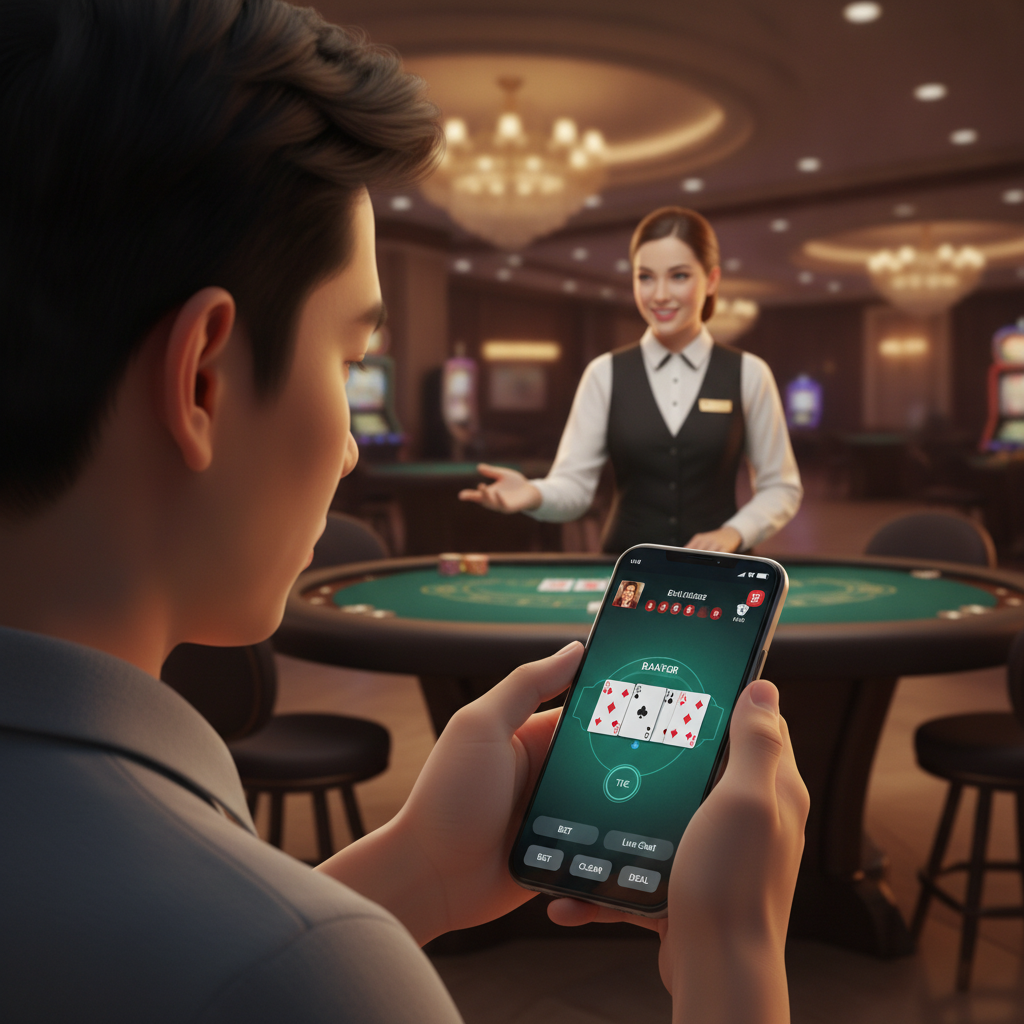
Live dealer games bring the feel of a real casino to your phone. Instead of playing against software, you watch a live video stream of a professional dealer running a real table—shuffling cards, spinning the roulette wheel, and announcing results in real time. Imperial Gaming offers live dealer baccarat, blackjack, and roulette for Filipino players who want a more interactive experience than standard slots or digital table games.
This guide walks first-time users through finding the live casino section after Imperial Gaming login, choosing a table that fits your budget, and using the basic controls on a mobile screen. Whether you deposit PHP 100 or PHP 500, you can join tables with minimum bets that match your bankroll.
What Are Live Dealer Games on Imperial Gaming?
Imperial Gaming hosts live dealer tables powered by third-party studio providers. A real dealer sits in a studio with cameras capturing multiple angles of the table. You place bets through your phone screen, and the dealer handles the physical cards or wheel. Results are determined by real shuffles and spins—not random number generators.
Baccarat
Baccarat is the most popular live dealer game among Filipino players. Each round, you bet on Player, Banker, or Tie. The dealer draws cards for both the Player and Banker hands according to fixed rules. Whichever hand totals closer to nine wins. Minimum bets often start at PHP 50 or PHP 100 per round, making it accessible for small deposits.
Blackjack
In live blackjack, you play against the dealer's hand. The goal is to reach 21 or get closer than the dealer without going over. After the dealer deals two cards to you and two to themselves (one face up, one face down), you choose to hit (take another card), stand (keep your total), double down, or split pairs. Minimum bets typically range from PHP 100 to PHP 300 depending on the table.
Roulette
Live roulette features a physical wheel and ball. You place bets on numbers, colors (red or black), odd or even, or groups of numbers. The dealer spins the wheel, and the ball lands in a numbered pocket to decide the outcome. Minimum bets can be as low as PHP 20 for outside bets like red/black, or higher for single-number bets.
All three games run on the same principle: you bet in pesos through the app, watch the live stream, and collect winnings instantly if your bet succeeds.
How to Navigate to the Live Casino Section After Login
Once you complete your Imperial Gaming register process and deposit funds via GCash, Maya, or bank transfer, you can access live dealer tables in a few taps.
- Open the Imperial Gaming app or mobile site and enter your Imperial Gaming login credentials—your registered phone number or username and password.
- Tap the menu icon (usually three horizontal lines) in the top-left or top-right corner of the home screen.
- Look for "Live Casino," "Live Dealer," or a similar label in the menu. Some versions of the platform display a row of game categories along the top; swipe until you see the live casino icon (often a video camera or dealer chip icon).
- Tap to enter the live casino lobby. You will see a grid of table thumbnails, each showing a live video preview, the dealer's name, the game type (baccarat, blackjack, roulette), and the table's minimum and maximum bet limits in PHP.
The lobby updates in real time, so you can watch a few seconds of each table before committing. This is helpful if you prefer a specific dealer, a quieter table, or a particular camera angle.
Choosing a Table and Understanding Minimum Bets in PHP
Every live dealer table displays its betting range before you join. On Imperial Gaming, you will see labels such as "Min PHP 50 – Max PHP 50,000" on baccarat tables, or "Min PHP 100 – Max PHP 10,000" on blackjack. Choose a table where the minimum fits comfortably within your deposit.
Match the Minimum to Your Budget
If you deposited PHP 200 through GCash, a PHP 100 minimum blackjack table lets you play two hands before needing to reload. A PHP 50 baccarat table gives you four rounds. Starting at the lowest minimum available helps beginners learn the flow without burning through funds in a few clicks.
Check the Table Language and Dealer
Many live dealer studios employ English-speaking dealers, but some tables feature Tagalog or bilingual hosts. The thumbnail preview or table name often indicates the language. If you prefer instructions in Tagalog, look for tables labeled "Filipino Dealer" or similar.
Peak Hours and Seat Availability
Popular baccarat tables can fill up during evenings and weekends. If a table shows "Full" or all seats taken, you can still watch and wait for a spot, or pick another table with the same minimum bet. Roulette tables usually allow unlimited players since everyone bets on the same wheel.
Once you find a table, tap the thumbnail to open the live stream and betting interface.
Basic Controls: Placing Bets, Chat, and Video Settings on Mobile
Live dealer games on mobile pack several controls into a compact screen. Here is what you will see and use during a typical session.
Betting Interface
At the bottom of the screen, a betting panel displays chip denominations—PHP 20, PHP 50, PHP 100, PHP 500, and so on. To place a bet:
- Tap a chip value to select it.
- Tap the betting area on the virtual table layout (for example, "Player" in baccarat, a number in roulette, or your blackjack betting circle).
- Confirm your bet if the game requires it, or the bet locks in automatically when the timer expires.
A countdown timer (usually 10–20 seconds) appears before each round closes. Make sure you place your bet before time runs out. You can adjust or remove bets by tapping the chip again or using an "Undo" or "Clear Bets" button, but only while betting is still open.
Video Stream and Camera Angles
The live video feed occupies the top half of your screen. Swipe or tap icons to switch between wide shots of the table, close-ups of the cards or wheel, and overhead views. If your connection slows down, the platform may automatically lower video quality to prevent lag. You can manually adjust quality in the settings menu (look for a gear icon) if you have stable Wi-Fi or strong mobile data.
Chat Box
A small chat icon opens a text box where you can send messages to the dealer or other players. Dealers often greet players by username and respond to simple questions. Chat is optional—many players ignore it and focus on the game. Keep messages respectful; inappropriate comments can result in a mute or account warning.
Sound and Notifications
Toggle sound on or off using the speaker icon. Most dealers announce card values, spin results, and winning hands aloud, which helps you follow the action even if you glance away. Notifications (such as "Betting closed" or "You won PHP 150") appear as pop-ups or banners at the top of the screen.
Balance and History
Your current peso balance displays in the corner of the betting panel. Tap it to see a detailed transaction log of bets placed, wins, and losses for the session. This is useful for tracking how much you have spent and deciding when to stop.
Exiting a Table
To leave, tap the "X" or "Exit" button in the top corner. Your balance updates immediately, and you return to the live casino lobby. You can join a different table or switch to slots, sports betting, or another section of Imperial Gaming.
Responsible Gambling Reminder (21+ Only)
Imperial Gaming is for players 21 years and older only. Live dealer games run continuously, and it is easy to lose track of time or money when rounds last only a minute or two. Set a personal budget before you log in—decide how many pesos you are willing to spend in one session and stop when you reach that limit, whether you are winning or losing.
Never chase losses by depositing more than you planned. Live dealer baccarat, blackjack, and roulette all carry a house edge, meaning the platform has a mathematical advantage over time. Treat these games as entertainment, not a way to make money. If you feel gambling is affecting your finances or well-being, take a break or seek help from a responsible gambling support service.
Summary: Live dealer tables on Imperial Gaming let Filipino players enjoy real-time baccarat, blackjack, and roulette from their phones. After Imperial Gaming login, navigate to the live casino lobby, choose a table with a minimum bet that fits your deposit (PHP 50–PHP 300 is common for beginners), and use the on-screen chips and timer to place bets. Adjust video quality, chat with the dealer, and monitor your balance through the mobile interface. Always play responsibly, set a budget, and remember that Imperial Gaming is for users 21 and over.